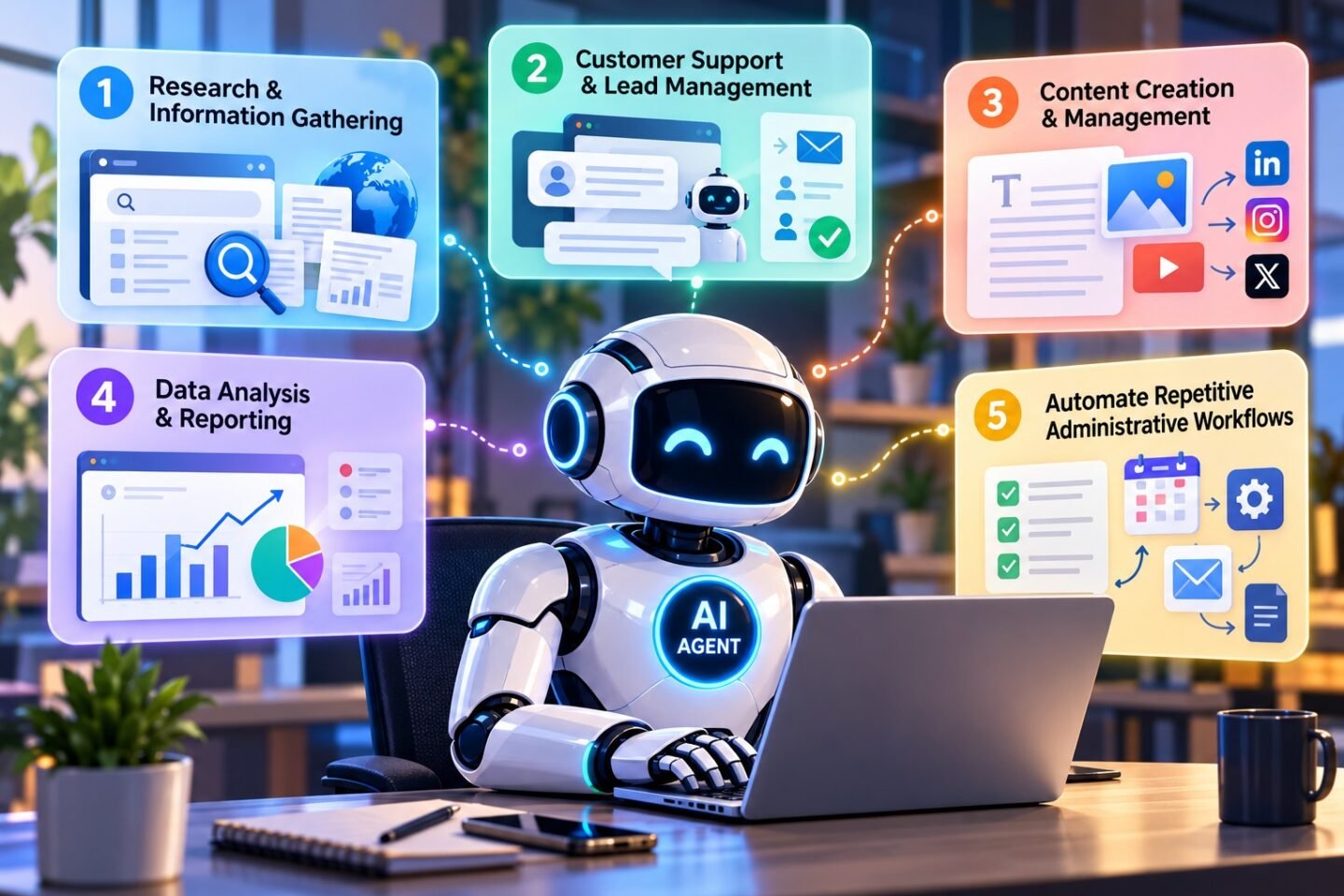



Turn AI Agents into Your Digital Workforce
Artificial intelligence is rapidly transforming how businesses operate. What once required hours of manual effort can now be completed more efficiently with AI-powered tools. However, the next stage of this transformation goes beyond simply asking an AI chatbot questions. It involves using AI agents that can plan tasks, interact with tools, process information, and execute multi-step workflows with varying levels of human supervision.
From managing customer inquiries to analyzing business data, AI agents offer organizations new ways to save time, reduce repetitive work, and improve operational efficiency.
Whether you are a business owner, marketer, developer, entrepreneur, or working professional, understanding how to use AI agents effectively can help you accomplish more with fewer manual steps.
Here are five powerful tasks you can delegate to AI agents to improve productivity and streamline your daily operations.
1. Automate Research and Information Gathering
Research is essential for making informed business decisions, but gathering information from multiple sources can consume valuable time. AI agents can simplify this process by collecting relevant information, organizing findings, comparing sources, and preparing structured summaries.
For example, an AI research agent can help businesses:
- Research competitors and identify market trends.
- Gather information about potential customers and target industries.
- Summarize industry reports, articles, and technical documentation.
- Compare products, services, and business strategies.
- Prepare research briefs for marketing, sales, and management teams.
Real-world example: A marketing team preparing to launch a new service can use an AI agent to research competitors, identify customer pain points, and organize findings into a report for campaign planning.
The result is a more organized research process that allows employees to spend less time collecting information and more time interpreting it.
Pro tip: Ask AI agents to provide source links, distinguish verified facts from assumptions, and flag information that requires human verification.
2. Streamline Customer Support and Lead Management
Customer communication is one of the most time-consuming activities for many businesses. AI agents can help manage repetitive inquiries, categorize incoming requests, qualify leads, and prepare responses for human representatives.
Depending on the tools and permissions available, an AI agent can:
- Answer frequently asked questions using approved company information.
- Categorize customer inquiries by topic or urgency.
- Collect basic information from potential customers.
- Route sales leads to the appropriate team.
- Draft personalized follow-up messages.
- Summarize customer conversations for sales representatives.
Real-world example: A software development company receiving inquiries through its website can use an AI agent to identify whether a prospect needs website development, mobile app development, or custom software. The agent can collect project requirements and route the inquiry to the relevant team member.
This helps businesses respond more consistently while allowing employees to focus on complex customer needs and relationship building.
Important consideration: Human review should remain available for complaints, sensitive customer information, unusual requests, and high-value sales decisions. AI agents should also follow privacy requirements and company communication policies.
3. Generate and Manage Content More Efficiently
Content creation involves more than writing articles. It includes research, planning, drafting, editing, search engine optimization, publishing preparation, and performance analysis.
AI agents can help coordinate several of these activities within a connected workflow.
Businesses can use content-focused AI agents to:
- Generate blog topic ideas based on audience needs.
- Build monthly or annual content calendars.
- Draft articles, newsletters, and social media posts.
- Suggest SEO titles, meta descriptions, and keyword variations.
- Repurpose long-form articles into shorter social media content.
- Review existing content for outdated information and missing topics.
Real-world example: A digital marketing agency can use an AI agent to transform one approved blog article into LinkedIn posts, email newsletter copy, and short social media captions. An editor can then review each version before publication.
This approach can make content production more consistent without sacrificing editorial quality.
Pro tip: Give your AI agent a clear brand voice, target audience, factual reference materials, and formatting guidelines. Always review claims, originality, and search intent before publishing.
4. Analyze Business Data and Prepare Reports
Business data is useful only when decision-makers can understand and act on it. AI agents can assist with organizing datasets, identifying patterns, summarizing performance, and preparing reports.
With appropriate data access and analytical tools, they can help with:
- Summarizing sales and marketing performance.
- Identifying changes in customer engagement.
- Comparing actual results against business targets.
- Detecting unusual values or potential data-quality issues.
- Preparing recurring management reports.
- Highlighting trends that deserve further investigation.
Real-world example: An e-commerce business can use an AI agent to review weekly sales data, compare product categories, identify declining conversion rates, and prepare a summary of areas that require attention.
Instead of manually assembling every report, analysts can focus on validating findings and deciding what actions to take.
Important consideration: AI-generated insights should be checked against the underlying data. Access permissions, data accuracy, confidentiality, and calculation validation are essential, particularly when reports influence financial or strategic decisions.
5. Automate Repetitive Administrative Workflows
Administrative tasks often involve multiple small steps that interrupt focused work. AI agents can coordinate these steps across connected applications, subject to the permissions and integrations available.
Examples include:
- Organizing incoming emails by priority.
- Summarizing meeting notes and extracting action items.
- Drafting task assignments from project discussions.
- Preparing daily or weekly status reports.
- Updating project records using approved information.
- Creating reminders for deadlines and follow-ups.
Real-world example: After a project meeting, an AI agent can summarize the discussion, identify agreed action items, draft assignments for team members, and prepare a follow-up message for review.
This reduces the need to manually transfer information between communication, documentation, and project management tools.
Pro tip: Start with low-risk, repeatable workflows. Require human approval before an agent sends external communications, changes important records, or performs actions that are difficult to reverse.
How to Choose the Right Tasks for AI Agents
Not every business process needs an AI agent. The best opportunities are tasks that occur frequently, follow reasonably clear rules, and have measurable outcomes.
| Task | Main benefit | Recommended oversight |
|---|---|---|
| Research | Faster information gathering | Verify sources and findings |
| Customer support | More consistent responses | Escalate complex cases |
| Content creation | More efficient production | Editorial review |
| Data analysis | Faster reporting | Validate calculations |
| Administration | Fewer repetitive steps | Approve important actions |
Before deploying an AI agent, define the task, identify the systems it needs to access, set clear permissions, establish approval requirements, and measure its results.
Useful performance indicators include time saved, error rates, response time, completion rates, and the amount of human correction required.
Best Practices for Getting More from AI Agents
To achieve reliable results, businesses should follow a structured implementation approach.
Start small: Select one repetitive task instead of automating an entire department immediately.
Set clear boundaries: Define what the agent can access, what it can change, and when it must ask for approval.
Provide reliable information: Supply current documentation, approved procedures, and clear instructions.
Keep humans involved: Assign responsibility for reviewing consequential decisions and resolving exceptions.
Measure performance: Compare results against the previous manual process and monitor errors as well as time savings.
Improve continuously: Use feedback and workflow data to refine instructions, integrations, and approval rules.
These practices help businesses use AI agents as controlled productivity tools rather than treating automation as a replacement for human judgment.
Frequently Asked Questions (FAQs)
What is an AI agent?
An AI agent is a software system that can use AI to pursue a defined goal, plan steps, interact with tools, and carry out tasks within its configured permissions.
How can AI agents improve business productivity?
AI agents can reduce repetitive work, organize information, coordinate workflows, prepare reports, and assist with customer communication. The actual benefits depend on the task, integrations, and quality controls.
Are AI agents suitable for small businesses?
Yes. Small businesses can begin with focused tasks such as drafting customer responses, organizing leads, preparing content, or summarizing reports. A simple, well-defined workflow is often a good starting point.
Do AI agents work without human supervision?
Some tasks can run with limited supervision, but the appropriate level depends on the risk. Financial transactions, sensitive data, external communications, and consequential decisions may require human approval.